
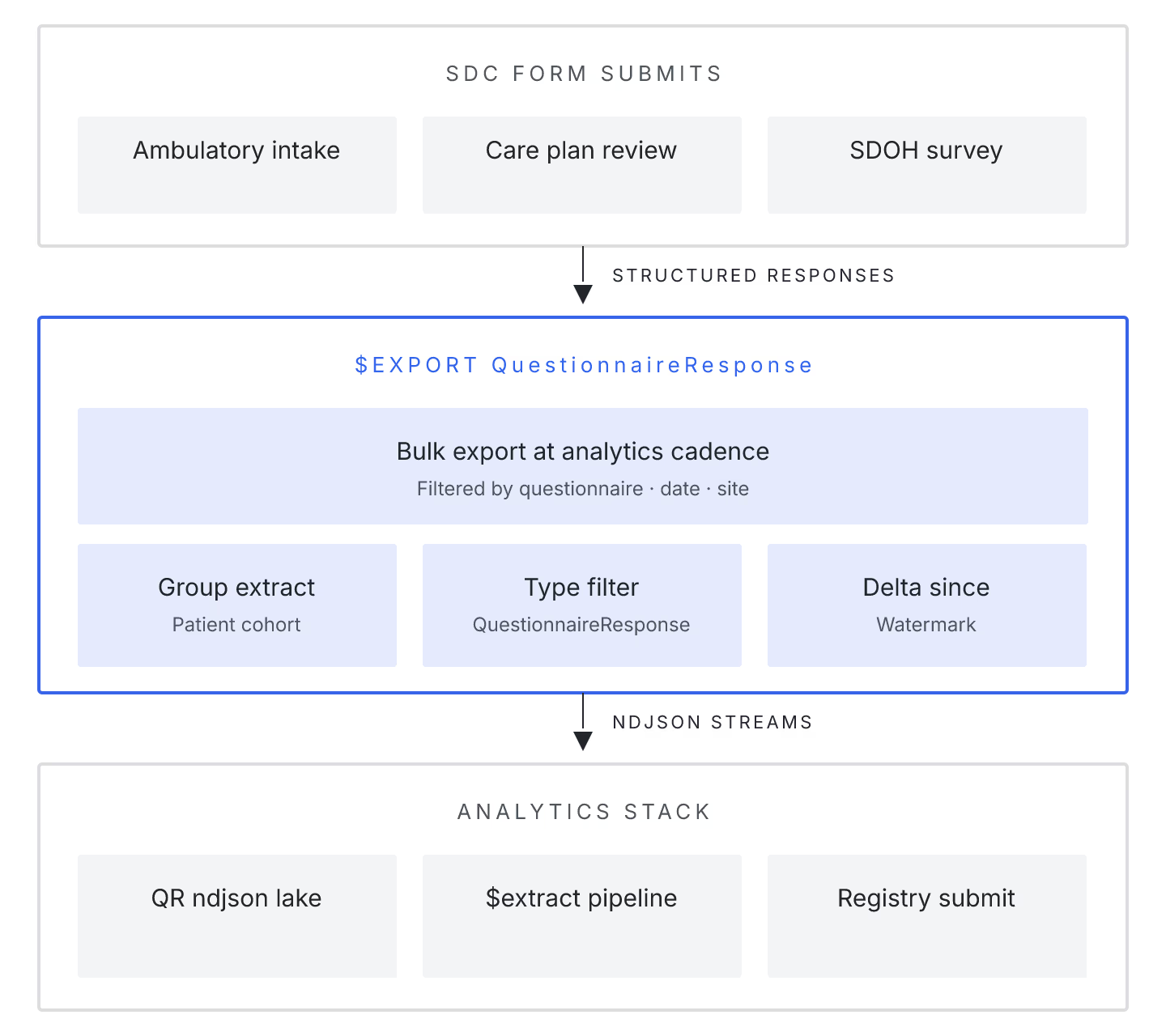
QuestionnaireResponse resources are the workhorse output of SDC-based patient intake and clinician documentation, and when a health system needs to analyze form completion patterns or extract structured data for quality reporting, Bulk Data Access IG $export is the right integration path.
Why individual GETs don't scale. A moderately-sized ambulatory clinic accumulates 5-10k QuestionnaireResponses per week. Pulling these via GET QuestionnaireResponse?_lastUpdated=gt<cursor> works up to a point, but the pagination overhead compounds. Bulk $export returns NDJSON files that can be streamed into downstream pipelines without per-resource HTTP overhead.
Selective export with _type filter. $export?_type=QuestionnaireResponse,Patient,Practitioner limits the export to the resources analytics needs. Skipping unrelated resources (Encounter, Observation, MedicationRequest) cuts export time 5-10x for form-focused pipelines.
Group-based scoping. Multi-clinic health systems can use Group/{clinic-id}/$export to get per-clinic files. The FHIR Group resource supports Patient membership; populate it once per clinic location, then export from there.
Handling in-progress QuestionnaireResponses. Real intake produces both completed and in-progress responses. Analytics pipelines usually only want completed. Filter at export time with _typeFilter=QuestionnaireResponse?status=completed.
Downstream extraction with SDC $extract. If your pipeline needs Observation-shaped answers (e.g., PHQ-9 total score, medication list), running the SDC $extract operation post-export produces the target resources. Two servers support this natively: Aidbox and Medplum. Others require external extractors.
Sample export pipeline (mid-2026)
| Step | Operation | Output |
|---|---|---|
| 1 | POST Group/{clinic-id}/$export?_type=...&_since=... |
202 Accepted, poll URL |
| 2 | Poll status URL | Manifest of NDJSON file URLs |
| 3 | Download NDJSON files | Compressed if _outputFormat=application/gzip |
| 4 | Run SDC $extract on QuestionnaireResponse rows |
Observation NDJSON |
| 5 | Ingest to warehouse (BigQuery/Snowflake) | Tables ready for analytics |
Bulk data for form analytics is a natural fit for FHIR — the resource model was built for exchange. Teams that use it correctly get freshness measured in hours, not days.