
The first time you paste a Bundle into a validator and stare at the response, the natural reaction is to close the tab. A block of JSON, twenty items, half of them tagged "warning" and half tagged "error", each with a location field that reads like a stack trace. The trick is not to read it front-to-back but to know which four fields matter first.
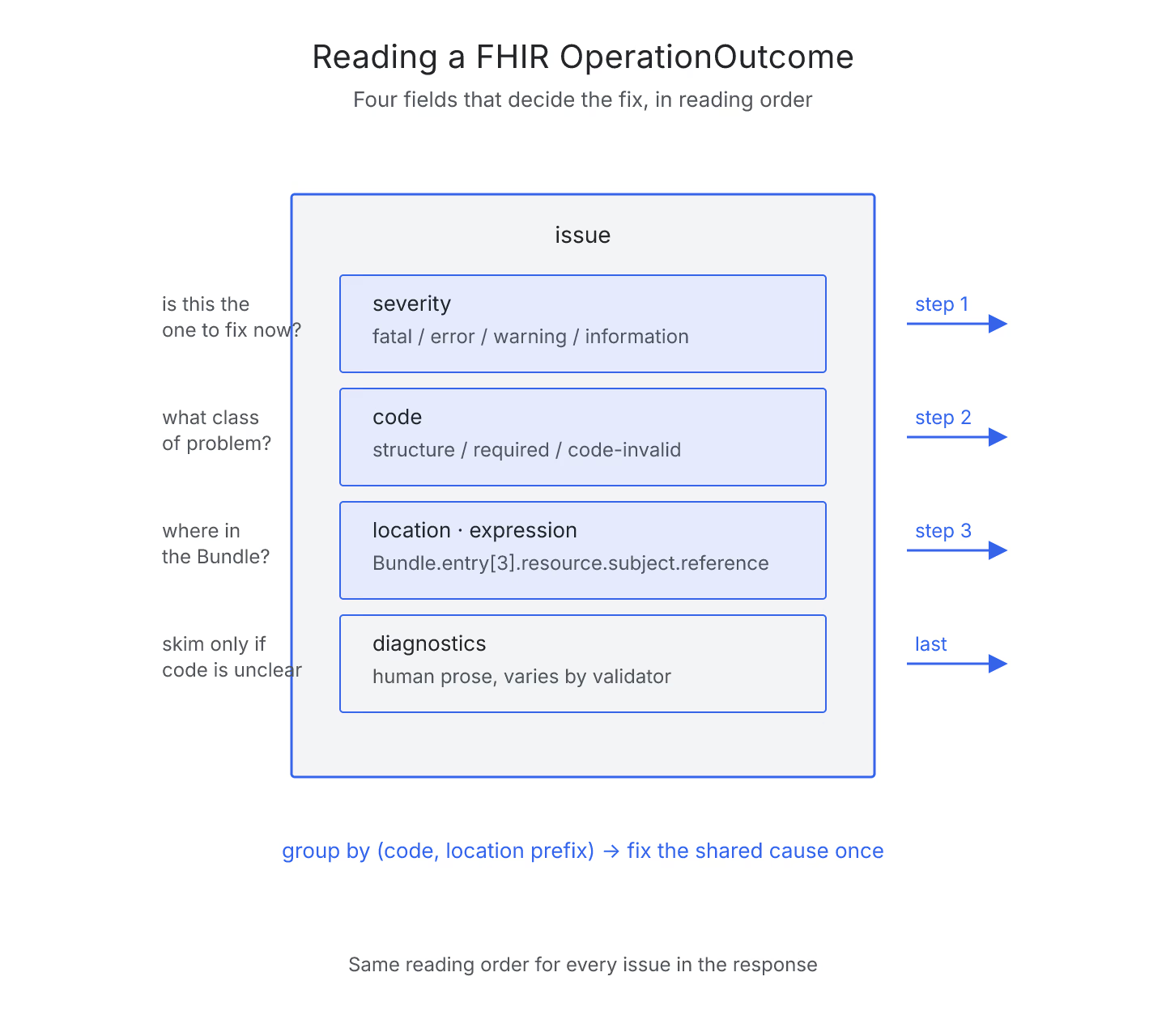
A FHIR validation error is really an OperationOutcome resource with a list of issue entries, and once you can name the parts you stop being lost. If you want the broader context on why validation matters at all, what really breaks when you skip Bundle validation covers it, and deeper FHIR walkthroughs sit alongside the rest of the validation library on the home page. This piece is the specific reading recipe.
Start With Severity
Every issue carries a severity of fatal, error, warning, or information. Fatal means the validator gave up on that entry entirely. Error means the resource is out of spec. Warning is usually a profile or terminology drift. Information is either a hint or a note the validator wants on the record.
Sort mentally by severity first. If you have ten warnings and one fatal, the fatal is the only one that decides whether the Bundle can be resubmitted at all. A quick pass with the site's Bundle validator will surface the sort order for you, but the habit of scanning severity first is the one to internalize.
Look at Code, Not Diagnostic Text
The issue.code field is a small controlled vocabulary: structure, required, value, code-invalid, invariant, not-supported, and a handful more. The diagnostic text is human prose and varies by validator. The code is stable.
Two errors on different parts of a Bundle that both carry code: required are the same class of problem: a required element is missing. That framing lets you fix five of them in one editor pass, instead of chasing each diagnostic string separately.
Follow the Location Path
The location field, or its newer sibling expression, points at the exact FHIRPath inside your Bundle where the issue lives. It looks like Bundle.entry[3].resource.subject.reference. Read it right-to-left when in doubt: the last segment is what actually failed, the middle names the resource, the first names the entry index.
If you keep the Bundle open in a side pane and jump to the exact path, you will fix issues faster than you would by scanning the whole resource. Missing expression means an older validator; you can usually infer the same information from the diagnostic text, but you lose the copy-paste precision.
Group by Root Cause, Not by Line
The last step is the one that changes the pace. A validator will happily emit twenty errors that all trace back to one missing element in a base profile. Grouping issues by their code and by the shared prefix of their location reveals these clusters.
Fix the root cause once, revalidate, and the twenty errors disappear together. This is also why reading validation output like a checklist is a better mental model than reading it like a log file. The linearity of the output is an artifact of how it was generated, not a description of how you should respond.
The Four-Field Habit
Severity. Code. Location. Grouping. That is the entire reading order.
Once the habit is set, a validator response stops being a wall of text and turns into a small structured document you can triage in a minute. The next Bundle you validate will land the same way, and the twenty-item block that used to look impenetrable will look boring, which is exactly what you want from a health-data pipeline.
Sources
- HL7 FHIR OperationOutcome Spec - HL7 FHIR core specification of the OperationOutcome resource, canonical anatomy of severity, code, location, and expression fields